
TWIN: Web Chat Widget
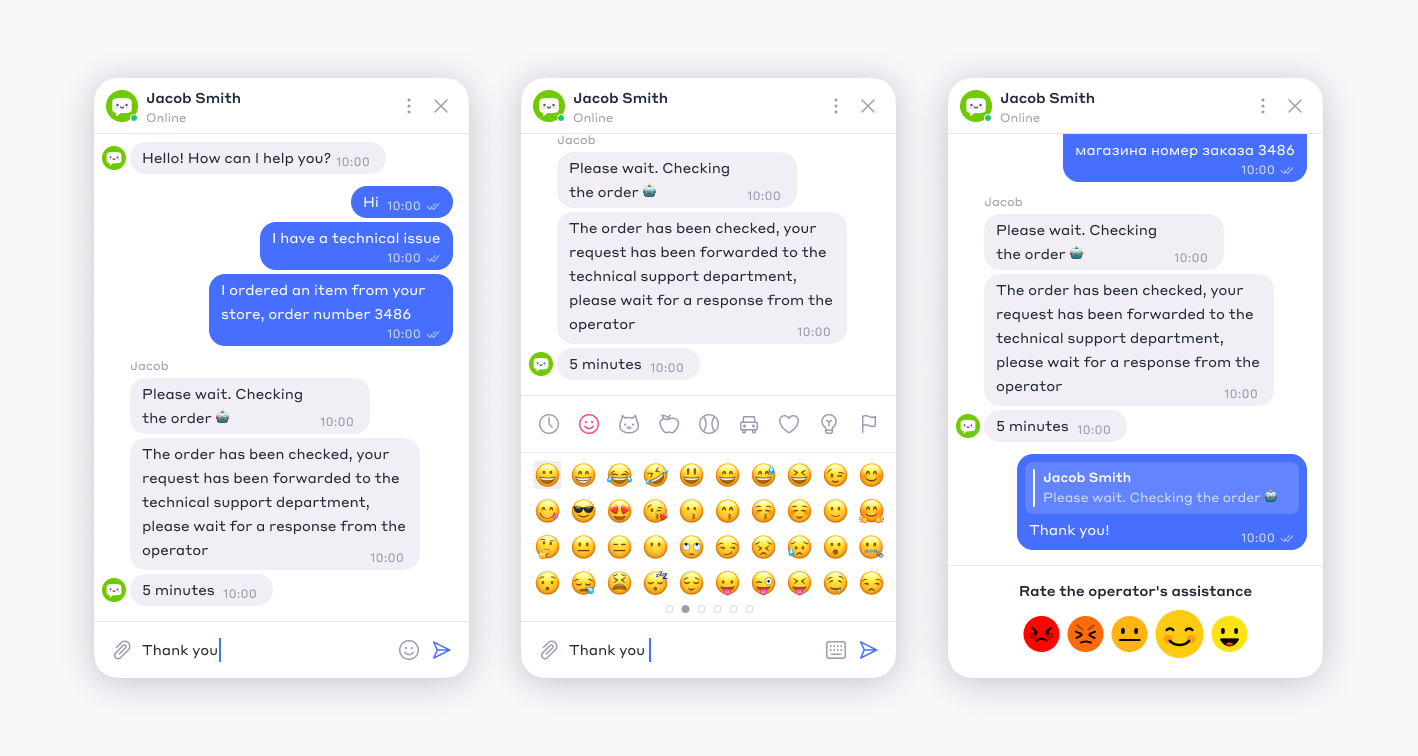
TWIN Platform allows businesses to build an omnichannel communication system and connect customer conversations across different channels. One of these channels is a web chat widget that can be integrated into a client’s website.
The client configures the communication channel independently, while TWIN provides the platform for interaction between the website visitor, operator, chatbot, or AI assistant.
I designed the web chat widget interface from scratch for both desktop and mobile use cases. The work was based on the TWIN design system core, which I used to create a separate product library for the widget interface and related functionality.
🎯 Main Goals
The main goal was to create a flexible and customizable chat widget that could be used by different businesses without breaking the overall product logic.
I focused on several key tasks:
- Design the chat widget interface for desktop and mobile scenarios
- Support communication between users, operators, chatbots, and AI assistants
- Build a product component library based on the TWIN design system core
- Provide customization options for client branding and white label use cases
- Support advanced scenarios such as product cards, appointments, purchases, and other e-commerce actions
- Make bot connection and widget integration simple for administrators

🚩 Problem
The widget had to work as a small but complete communication product inside a client’s website.
It needed to be visually lightweight, easy to use, and flexible enough for different business scenarios. At the same time, it had to support more than simple text messaging: users could interact with operators, bots, AI assistants, product cards, appointment flows, purchase actions, and other service or e-commerce functions.
The main design challenge was to keep the widget simple for the end user while preserving enough flexibility for business configuration and automation scenarios.
✅️ Solution
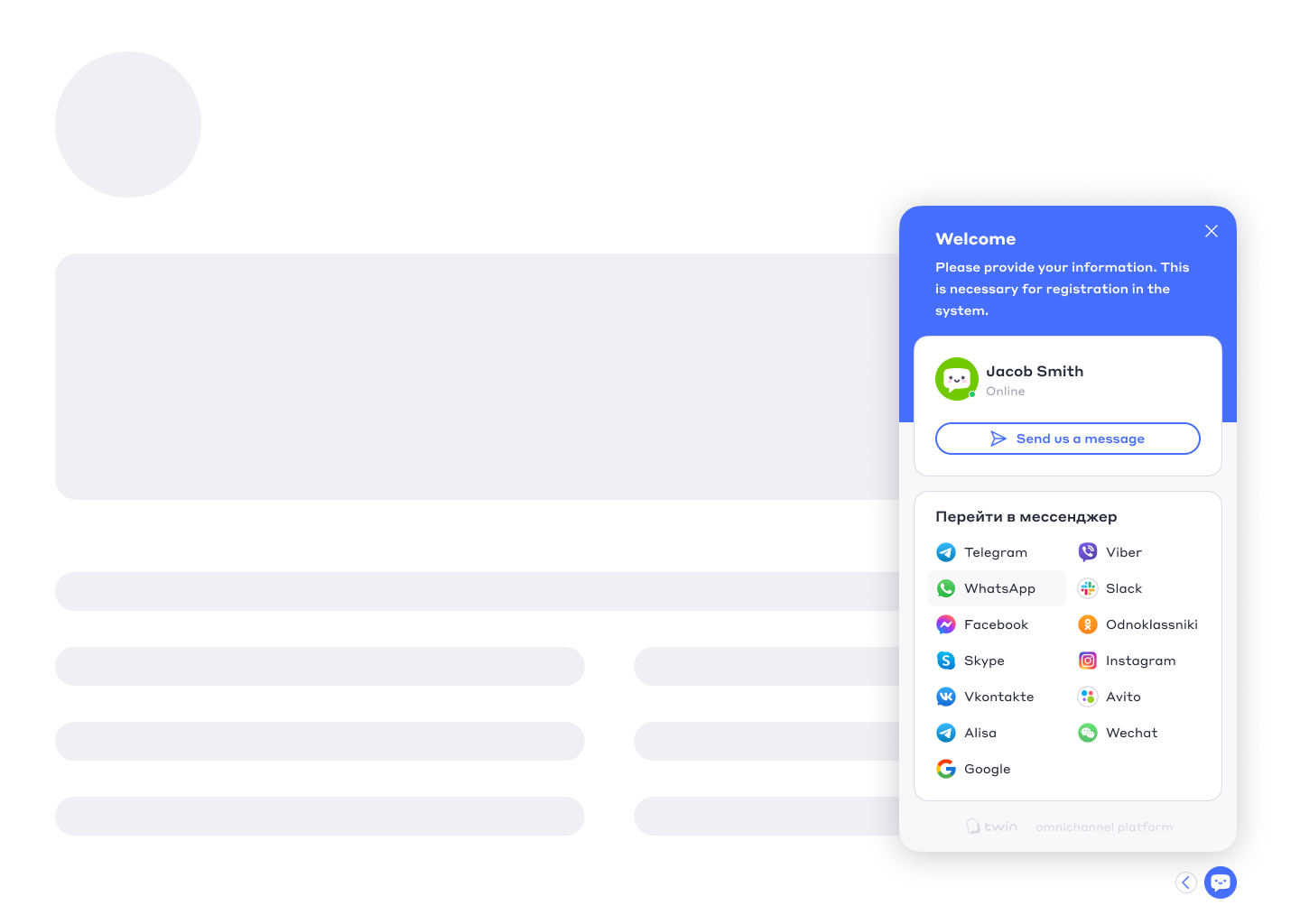
I designed the widget as a compact communication interface that could adapt to different screen sizes and use cases.
The interface supported both desktop and mobile versions, keeping the core interaction model consistent across devices. Users could open the chat, send messages, interact with bot flows, receive structured content, and complete basic actions without leaving the website context.
The widget was designed not only as a chat window, but as a small interaction layer between the business and the customer.
🎨 Customization and White Label
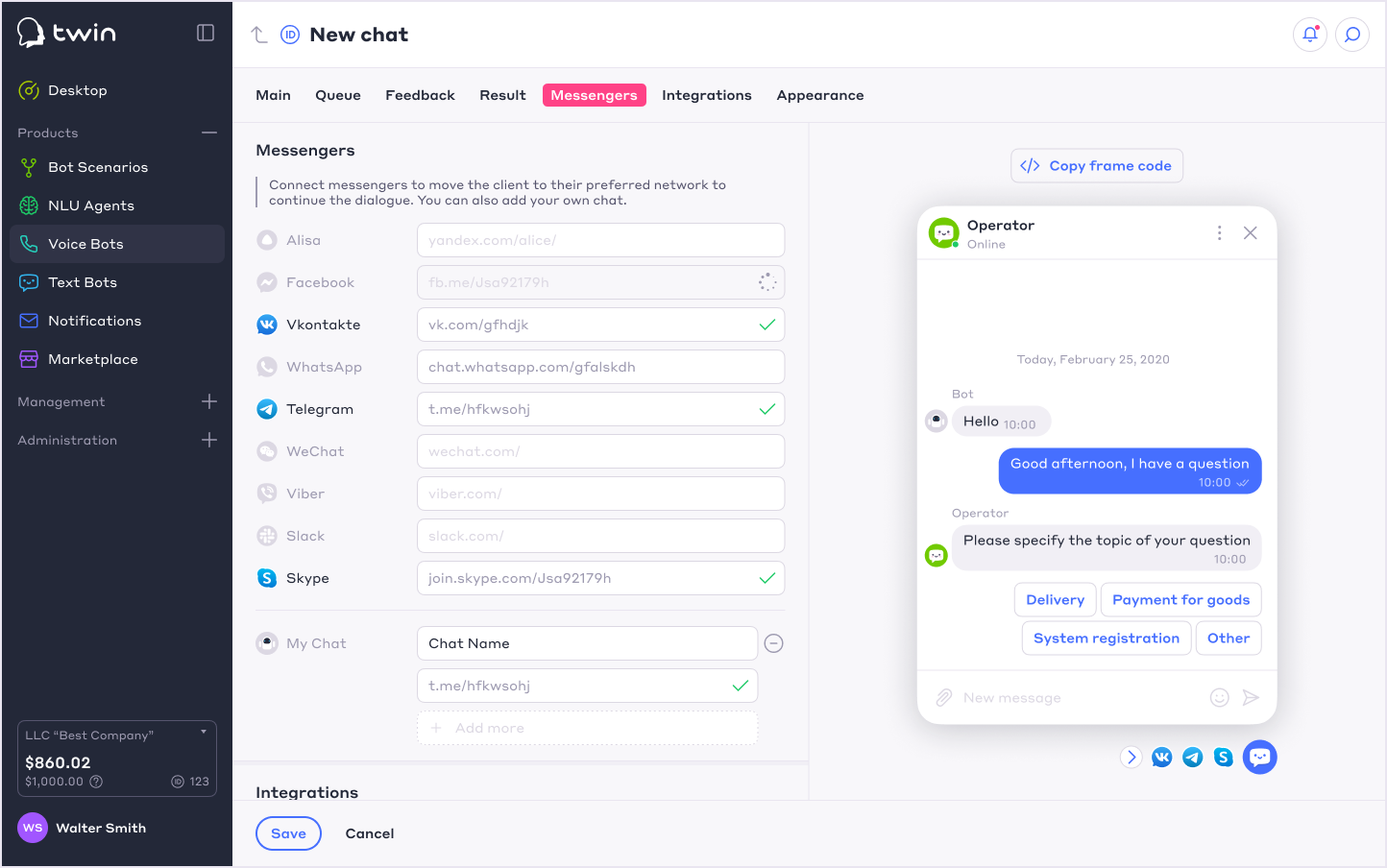
The widget was designed with customization in mind.
Administrators could adjust the widget appearance for company branding and white label scenarios through the widget management interface. This made it possible to adapt the chat to different client websites without redesigning the interface from scratch.
The same approach also supported easier integration and connection of bots to user conversations.
🛒 E-commerce and Service Scenarios
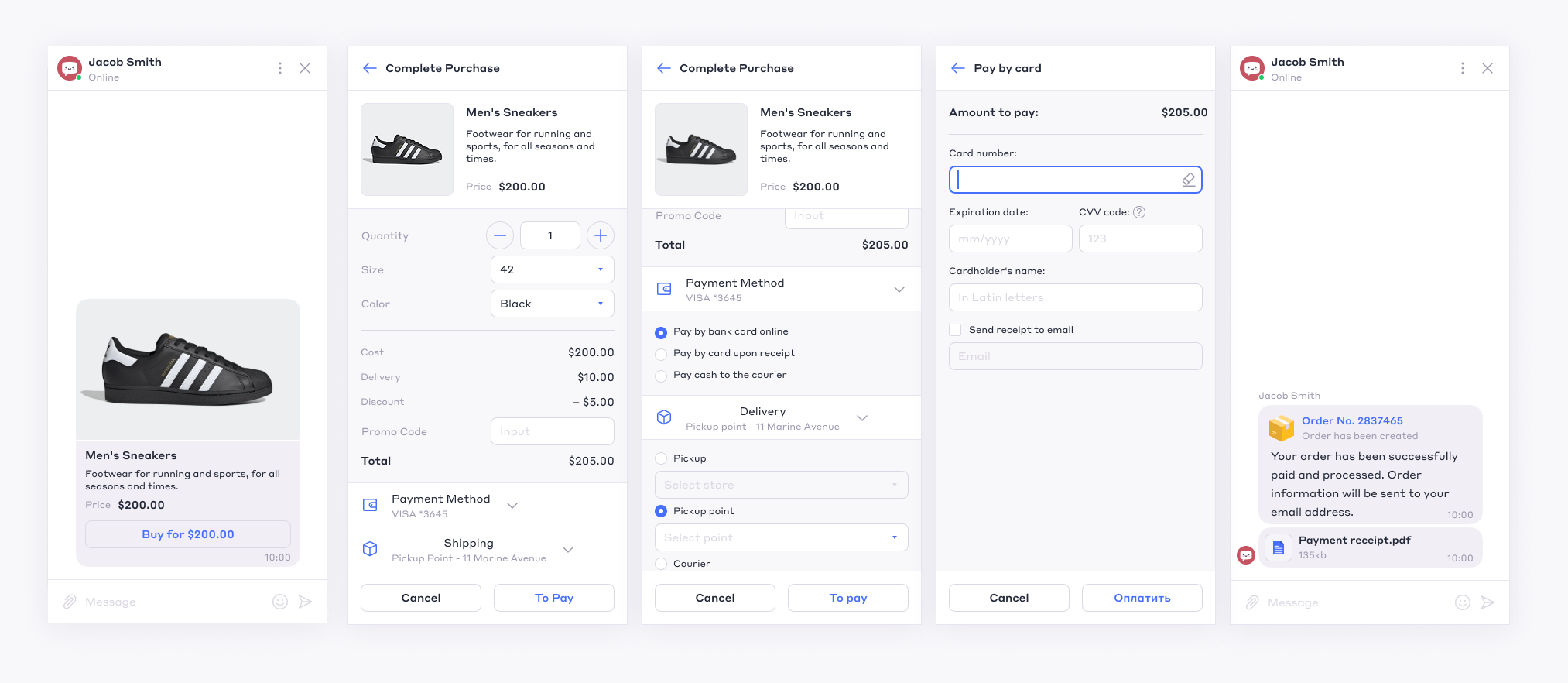
In addition to basic chat functionality, I designed interface patterns for more advanced scenarios:
- Product cards
- Appointment booking
- Purchase flow elements
- Bot-driven interactions
- Operator handoff
- AI assistant communication
- Structured messages and actions
These features helped reduce the number of steps users needed to complete common actions and supported higher conversion inside the chat experience.
📊 Result
As a result, TWIN received a flexible web chat widget for desktop and mobile use.
The widget allowed businesses to connect website visitors with operators, chatbots, and AI assistants, while supporting customization, white label configuration, and advanced business scenarios such as product cards, appointments, and purchases.
For the platform, the widget became an important part of the omnichannel communication system and expanded the ways businesses could interact with customers directly on their websites.
