
TWIN: Roles & Permissions
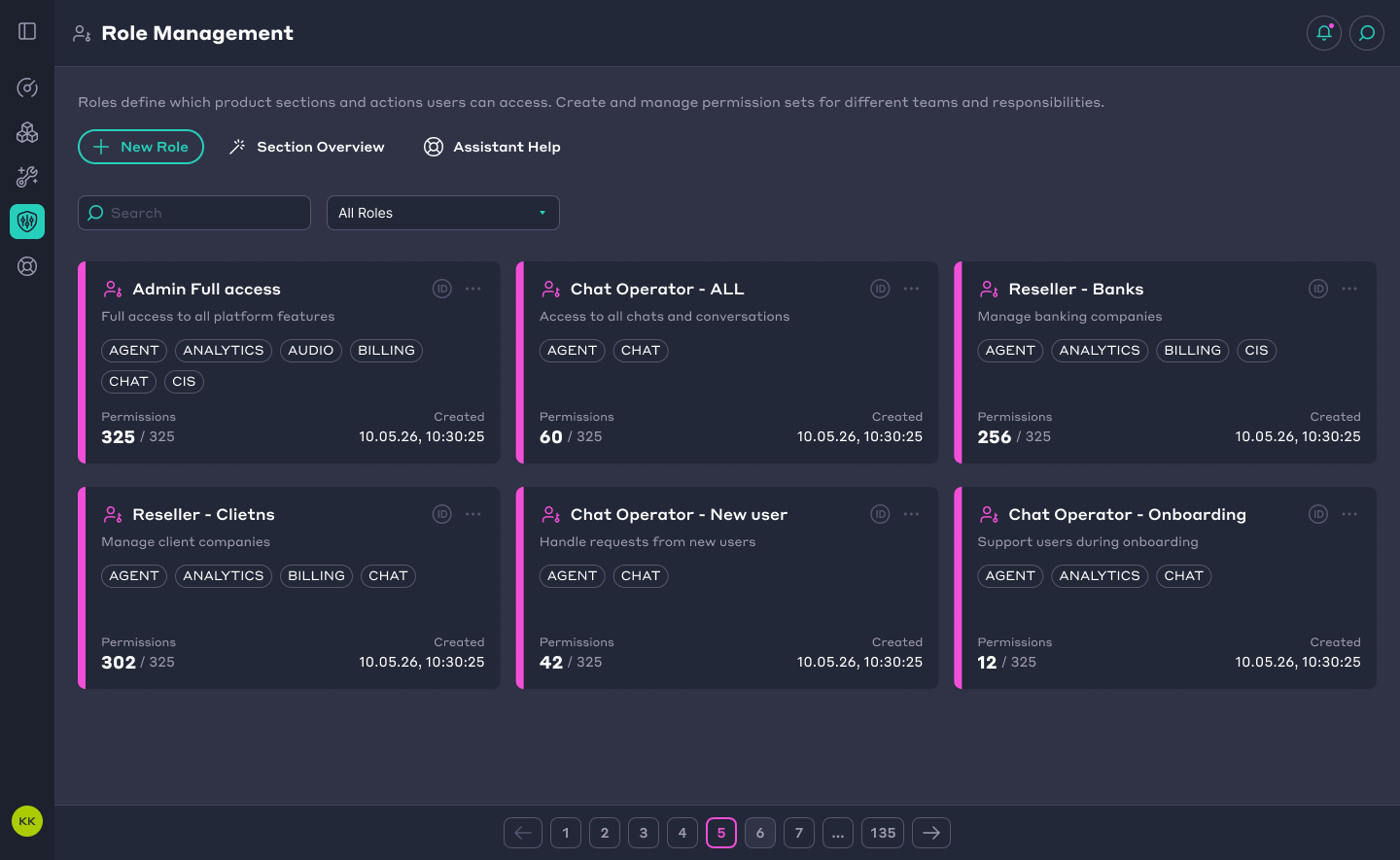
TWIN is a platform for managing AI agents, voice bots, and customer communications. Different teams and companies need access to different tools and actions.
I designed a role management interface that allows administrators to combine permissions into reusable roles and assign them to users or companies.
🚩 Problem
Access settings covered many sections of the platform, from product features to administrative tools. Administrators and super administrators needed a consistent way to manage these permissions for different responsibilities.
The challenge was to bring a large number of settings into one interface where administrators could define, review, and adjust access without losing track of what each role allowed.

✅️ Solution
I designed a central workspace for creating roles, configuring their permissions, and assigning them across the platform.
Administrators could set access for an entire section or adjust individual permissions within it. Each section displayed its current access level: full access, partial access, view only, or no access.
Saved roles could then be applied to users or companies, allowing administrators to reuse permission sets for common responsibilities.
🎨 Design Approach
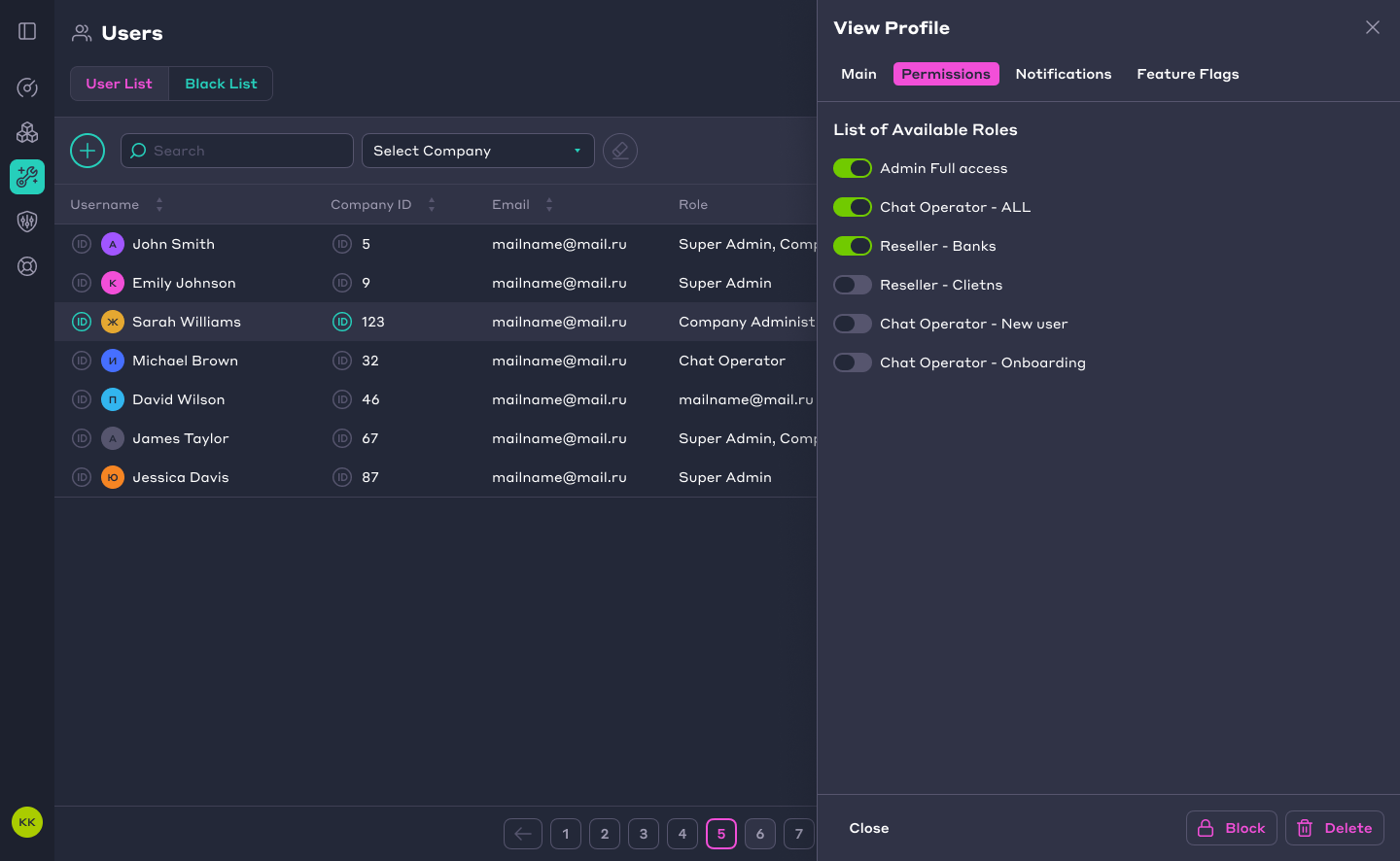
I organized the interface around three steps: find a role, configure its permissions, and assign it.
Role cards show a short description, accessible product sections, and the number of enabled permissions. This helps administrators review a role’s scope before opening its settings.
Inside the role editor, permissions follow the platform’s section hierarchy. Collapsible groups keep the list manageable, while access labels and permission counts summarize each section.
View and edit permissions are separated into tabs, with individual controls for precise adjustments. In the user profile, administrators can enable or disable existing roles directly.
📊 Result
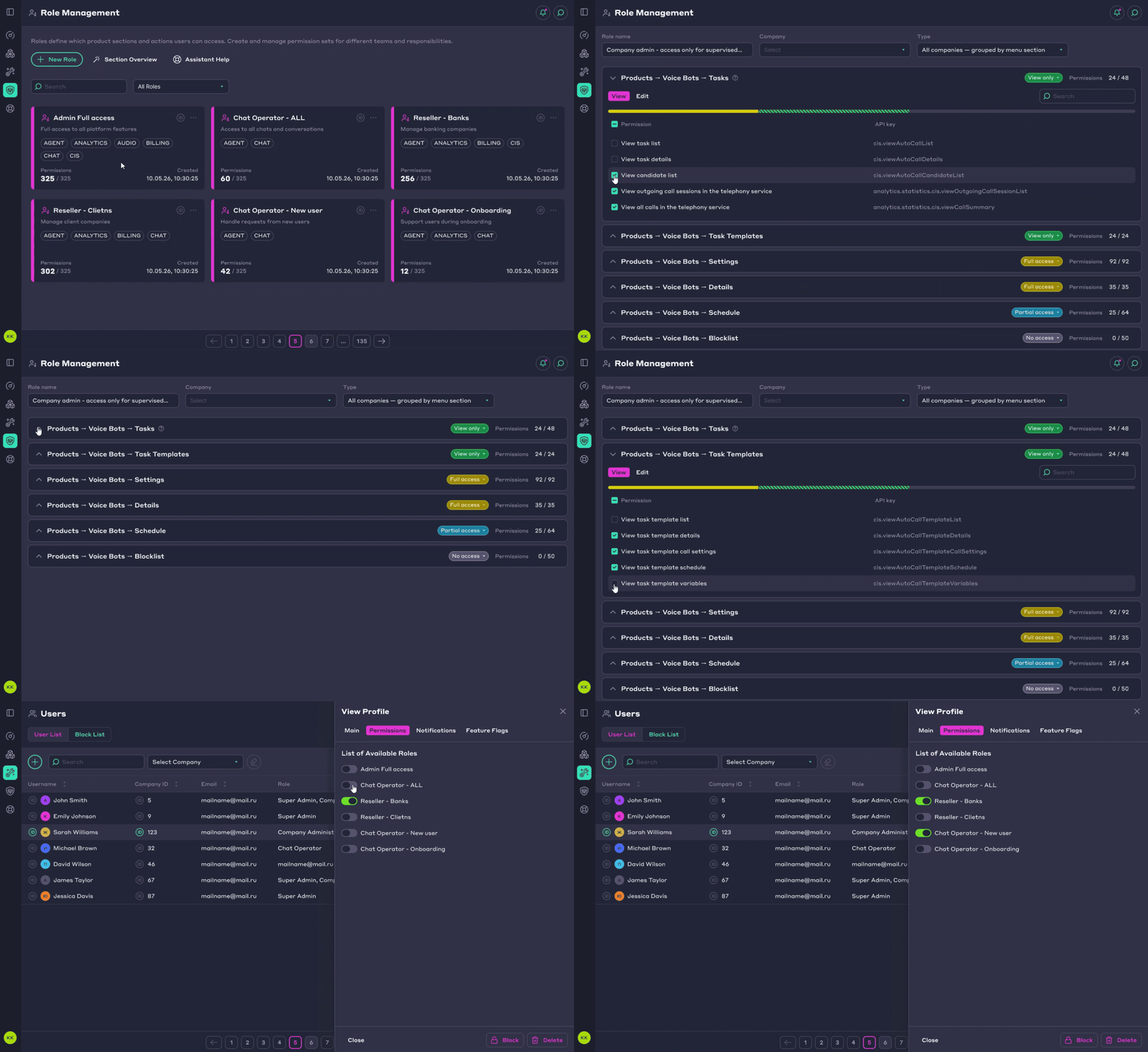
Super administrators gained a shared tool for managing access across the TWIN platform.
The interface supports both reusable roles for common tasks and detailed permission sets for specific needs. It brings role creation, permission configuration, and assignment into one consistent workflow.
