TWIN Bot Editor: Design Modernization and UX Improvement
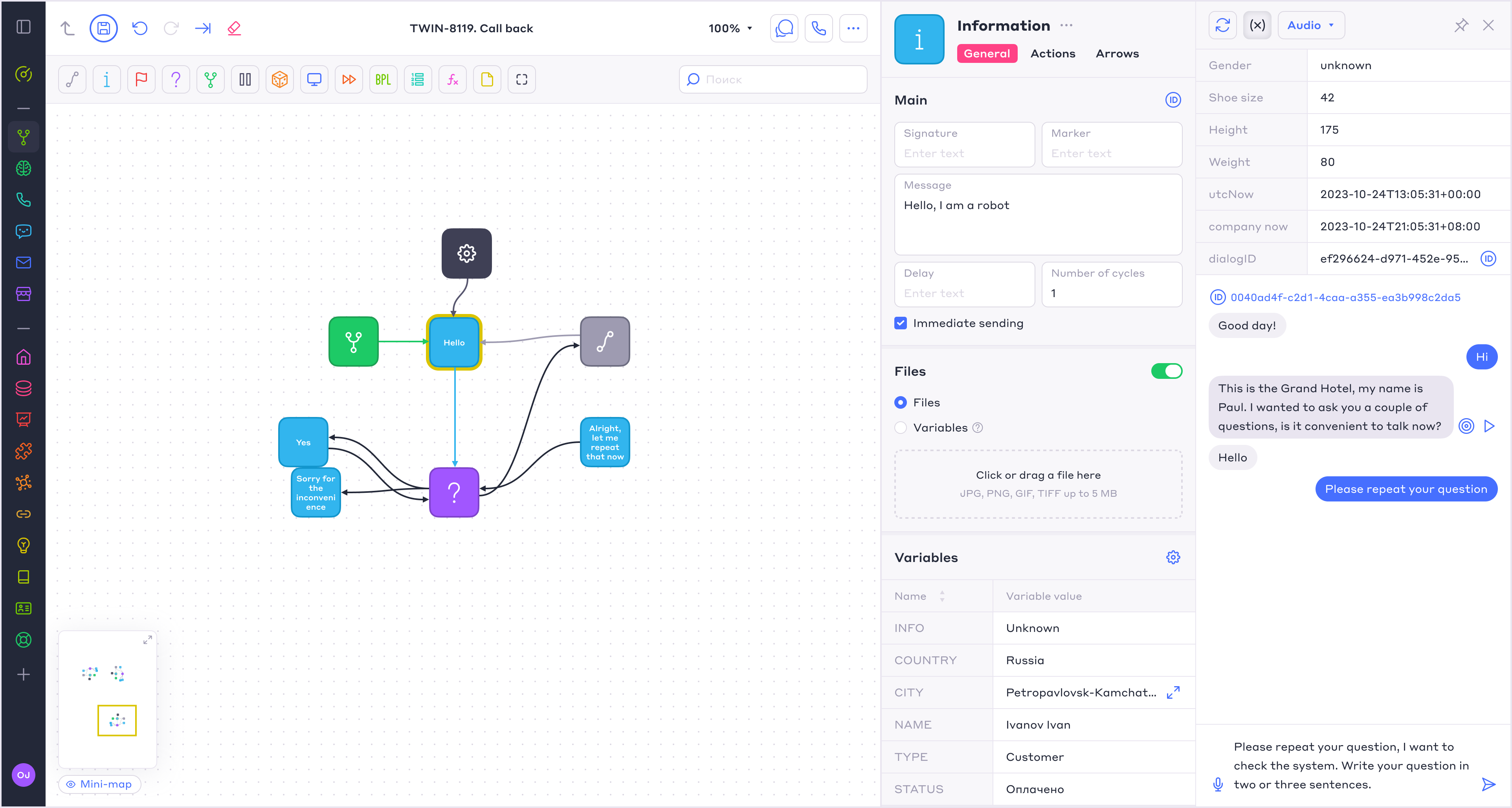
When I joined TWIN in 2018, the platform already had a working prototype of the bot editor. Users could create blocks, configure transitions between them, build visual scenarios, run scripts, and test voice bots and chatbots.
Functionally, the editor already covered the basic needs, but the interface was overloaded, bulky, and difficult to scale for complex scenarios. Users struggled to read large schemes, find the right elements quickly, and work with block settings.
My task was to modernize the editor and make it more compact, readable, and comfortable for working with complex bot scenarios.
🎯 Main Goals
I proposed and worked through several key improvements:
- Increase block density so complex scenarios would take less space
- Introduce block typology through color and icons
- Make transitions between blocks more flexible and visible
- Redesign the editor UI and restructure the main layout
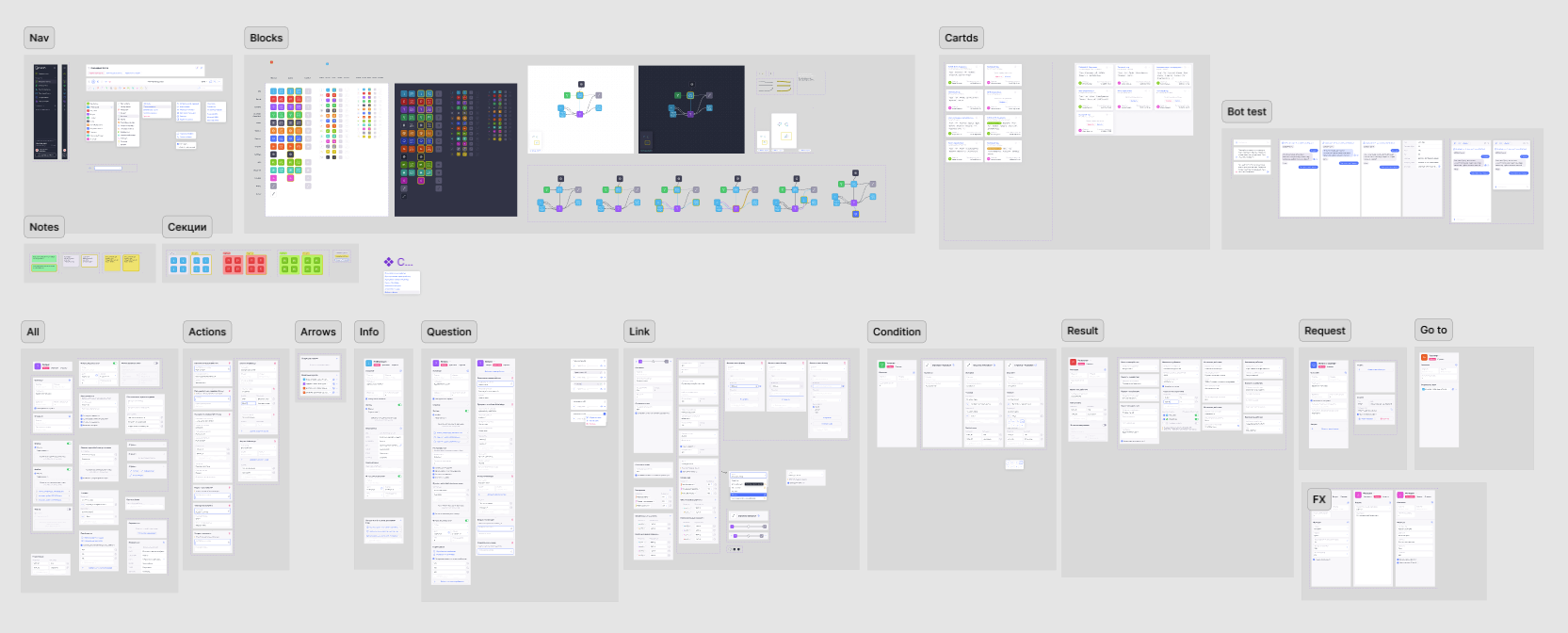
- Build a product component library for all editor modules
- Improve the block settings panel and create a clearer hierarchy
- Improve interaction with large schemes: hotkeys, minimap, block grouping, and bulk actions

🚩 Problem
The main challenge was to preserve the flexibility of the editor without making complex scenarios difficult to manage.
Users needed to be able to edit almost any element at any level of the scenario, change its logic, adjust transitions, and refine the flow at any stage of the process.
This required an interface that could support highly detailed configuration while still keeping the overall structure clear and navigable. The goal was not to reduce complexity, but to make it manageable without limiting what users could build.
✅️ Solution
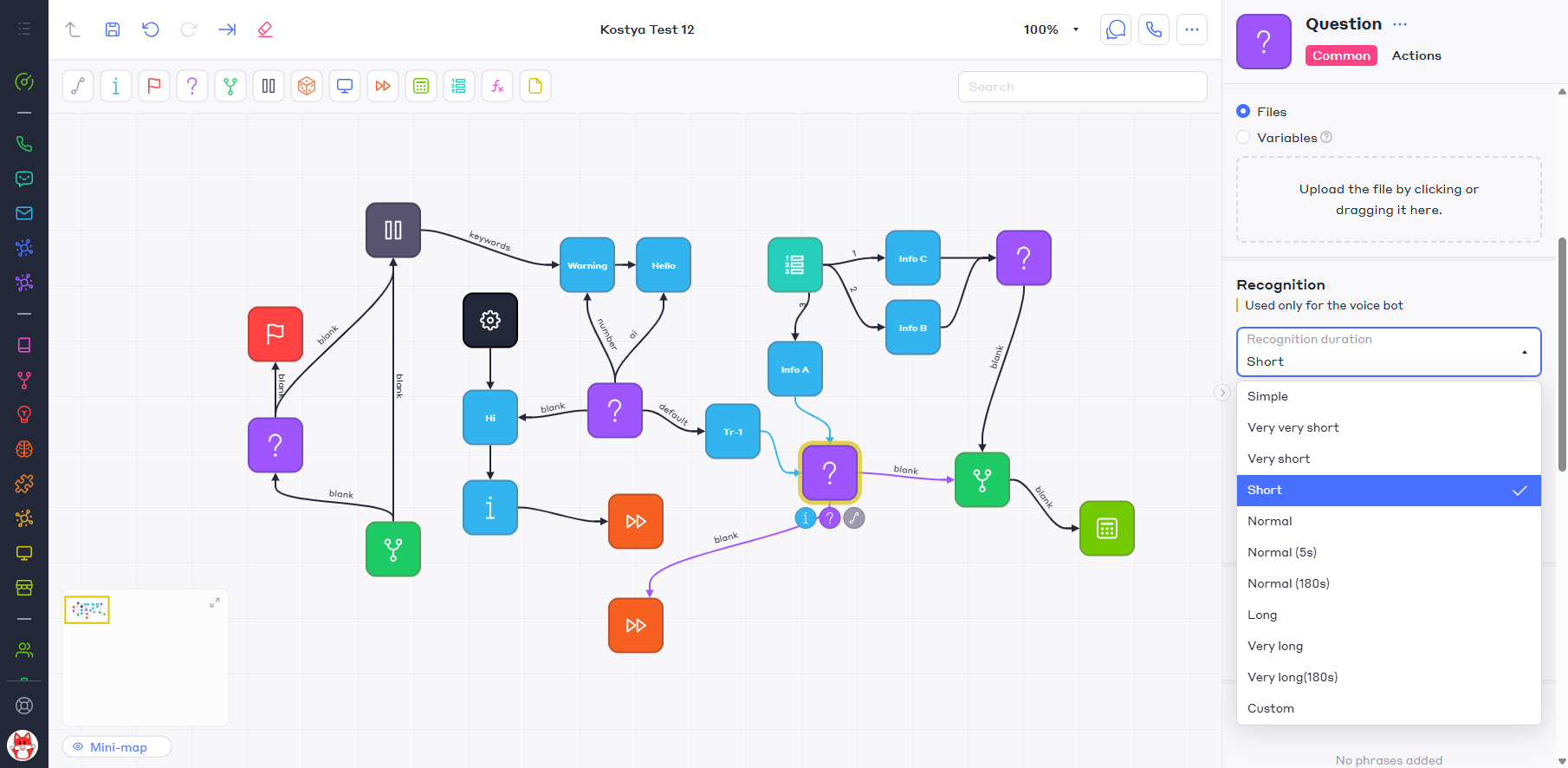
I redesigned the visual structure of the blocks and the main editor layout to make the interface more compact and easier to read in large schemes, while preserving the ability to freely arrange blocks and edit the scenario at any level.
A color and icon system was introduced for different block types. This helped users distinguish scenario logic faster and understand which elements were responsible for actions, conditions, messages, or transitions.
I also redesigned the connections between blocks. Transitions became more visible and easier to understand, which improved the readability of the scenario as a single logical structure without limiting how users could build or modify their flows.
⚙️ Block Settings
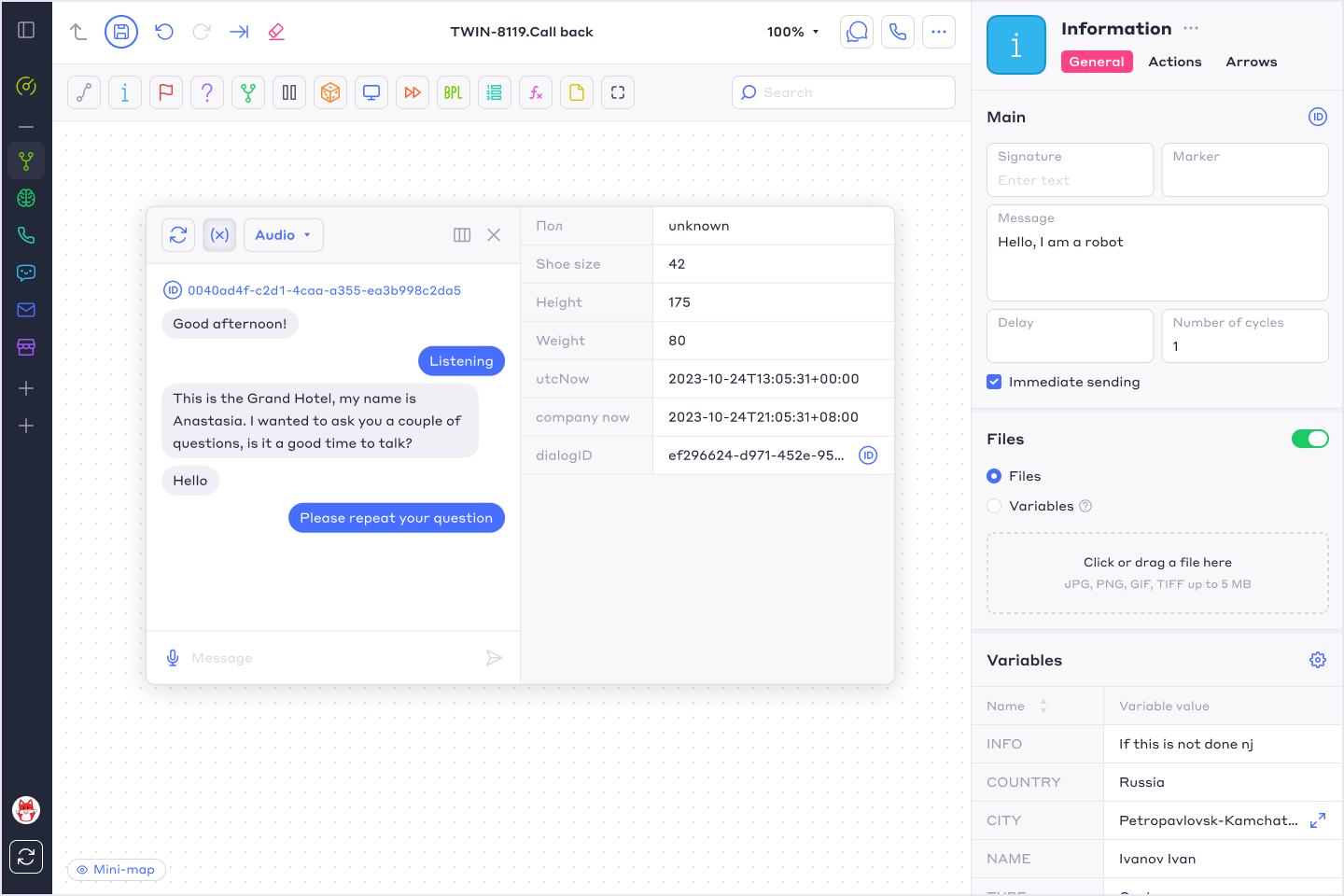
I reworked the settings panel by adding a clearer hierarchy and structure.
Settings were grouped by meaning, controls received clearer labels, and the interface started to support users better when configuring complex scenarios.
This was important because most of the real work in the editor happened not only on the canvas, but also inside each block’s settings.
🔍 Working with Large Schemes
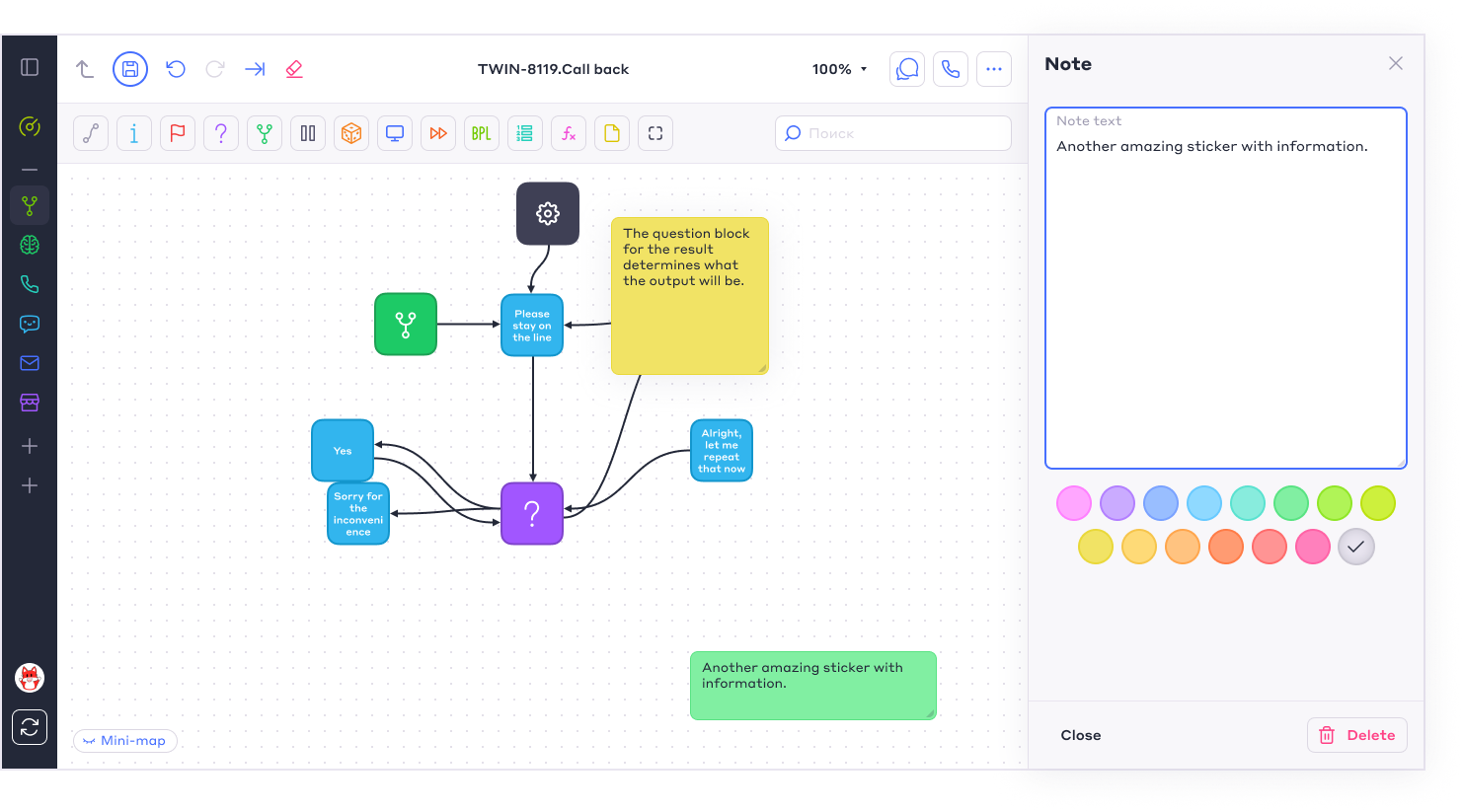
I also designed interaction patterns for large scenarios:
- Minimap navigation
- Block grouping
- Bulk interactions with elements
- Hotkeys
- Notes and stickers
- Block and transition states
- Tools for editing and testing complex scenarios
These solutions made the editor more comfortable for real work, where users build not a demo scenario with five blocks, but full business logic for a voice bot or chatbot.
👉Design Handoff & Result
I closely supervised the handoff to front-end development: reviewed implementation, checked interface details, and helped the team preserve the design system logic in the live product.
For this type of editor, it was important not just to “hand off mockups,” but to ensure that complex states, connections, block behavior, and visual hierarchy were implemented correctly.
As part of this work, I also built a product component library covering the editor modules, block types, states, content patterns, and settings. This created a consistent foundation for further development and made new functionality easier to design and implement. As a result, an updated bot scenario editor was created and integrated into the TWIN user account. The editor became more compact, readable, and comfortable for working with complex schemes.
Users received a clearer block structure, improved navigation, more understandable settings, and a better process for creating voice bots and chatbots. For the product, this became an important step in the platform’s evolution: the editor evolved from an early technical interface into a scalable product tool that could be maintained and developed further.