
TWIN Platform: AI-agents
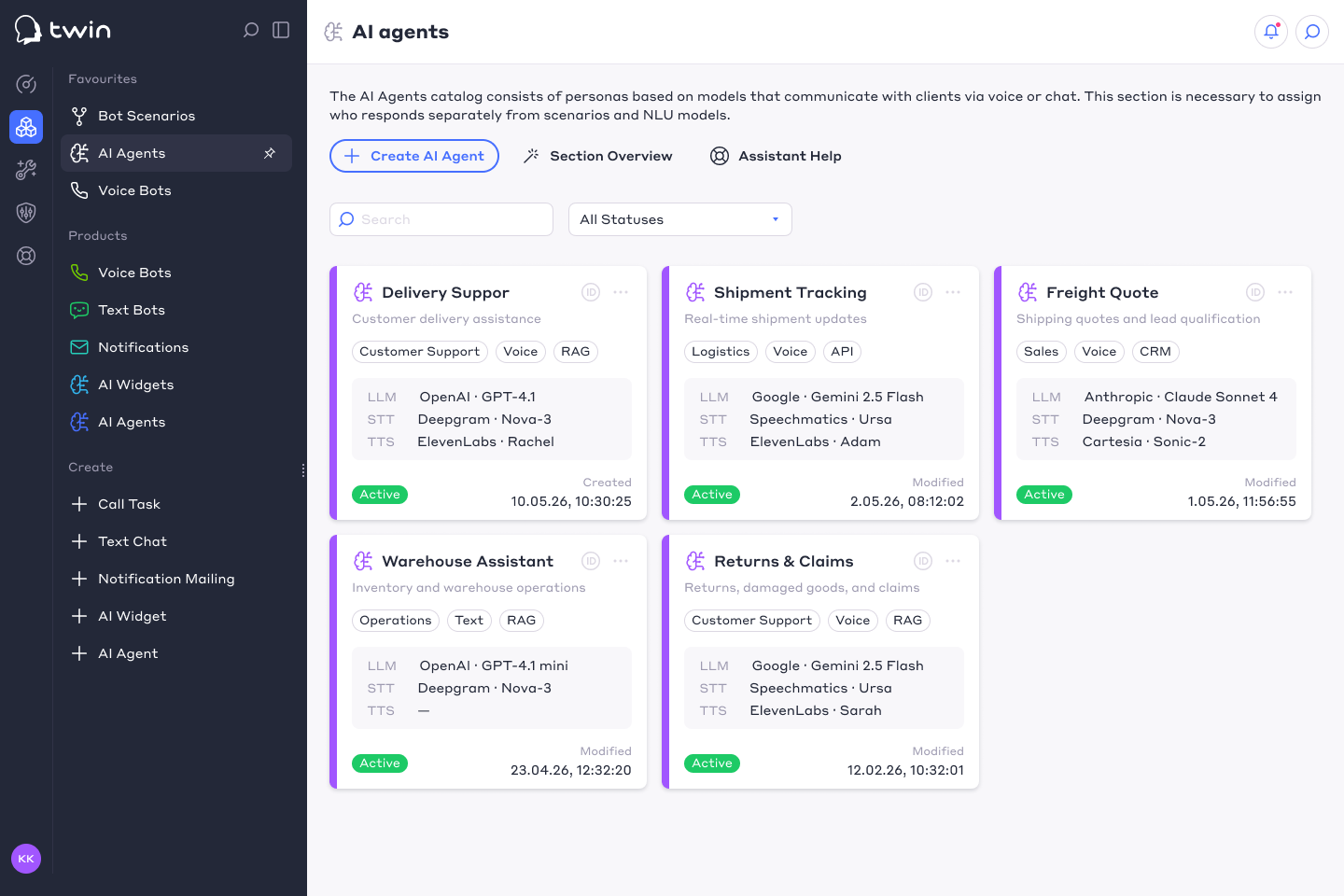
For the TWIN platform, I designed a section for connecting, configuring, and testing AI agents.
Users can explore available agents, compare AI services and models, understand pricing and capabilities, configure an agent for a specific business scenario, and immediately test it through voice or chat.
The main challenge was to make a technically complex product understandable to users who may have little or no previous experience with AI agents.
🎯 Main Goals
The main goal was to create a simple onboarding flow that could take a user from a business need to a working AI agent in just a few steps.
I focused on several key tasks:
- Help users define what they need an AI agent for
- Adapt the agent to the user's business and industry
- Let users choose between voice, text, messenger, website, or API communication channels
- Recommend an appropriate agent configuration based on the selected scenario
- Allow users to describe unique business requirements in their own words
- Make AI models, providers, capabilities, and pricing easier to understand
- Let users test the configured agent immediately through voice or chat
- Provide access to ready-made solutions through the marketplace
🚩 Problem
AI agents can require a large number of settings: LLM models, STT and TTS providers, communication channels, prompts, integrations, variables, and other technical parameters.
For new users, exposing all of these settings immediately made the product difficult to understand. Before users could experience the actual value of the agent, they first had to understand how the entire system worked.
This increased cognitive load and created a significant risk of users leaving the configuration flow before ever testing the product.
✅ Solution
Instead of starting with technical configuration, I designed the onboarding around the user's business goals.
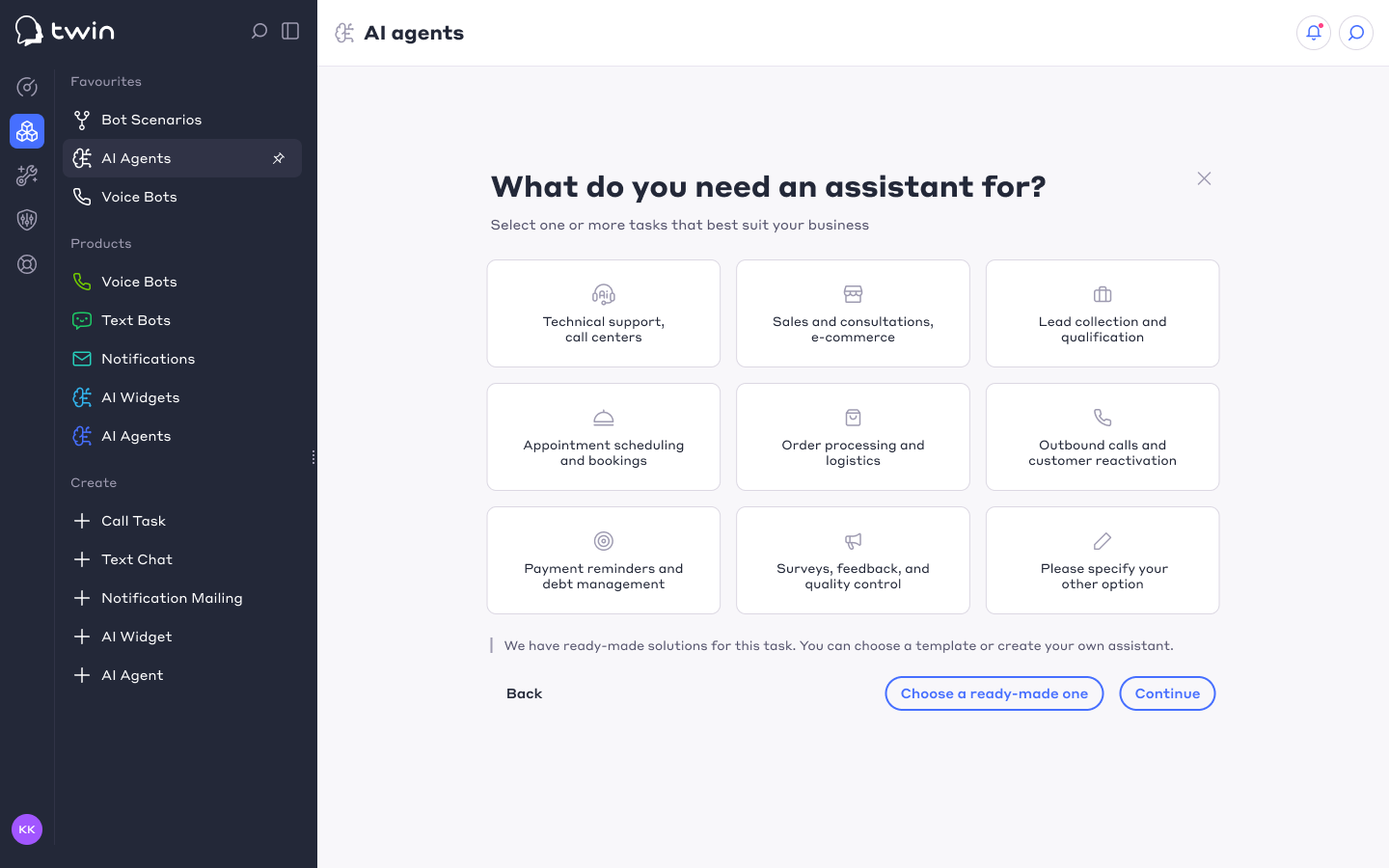
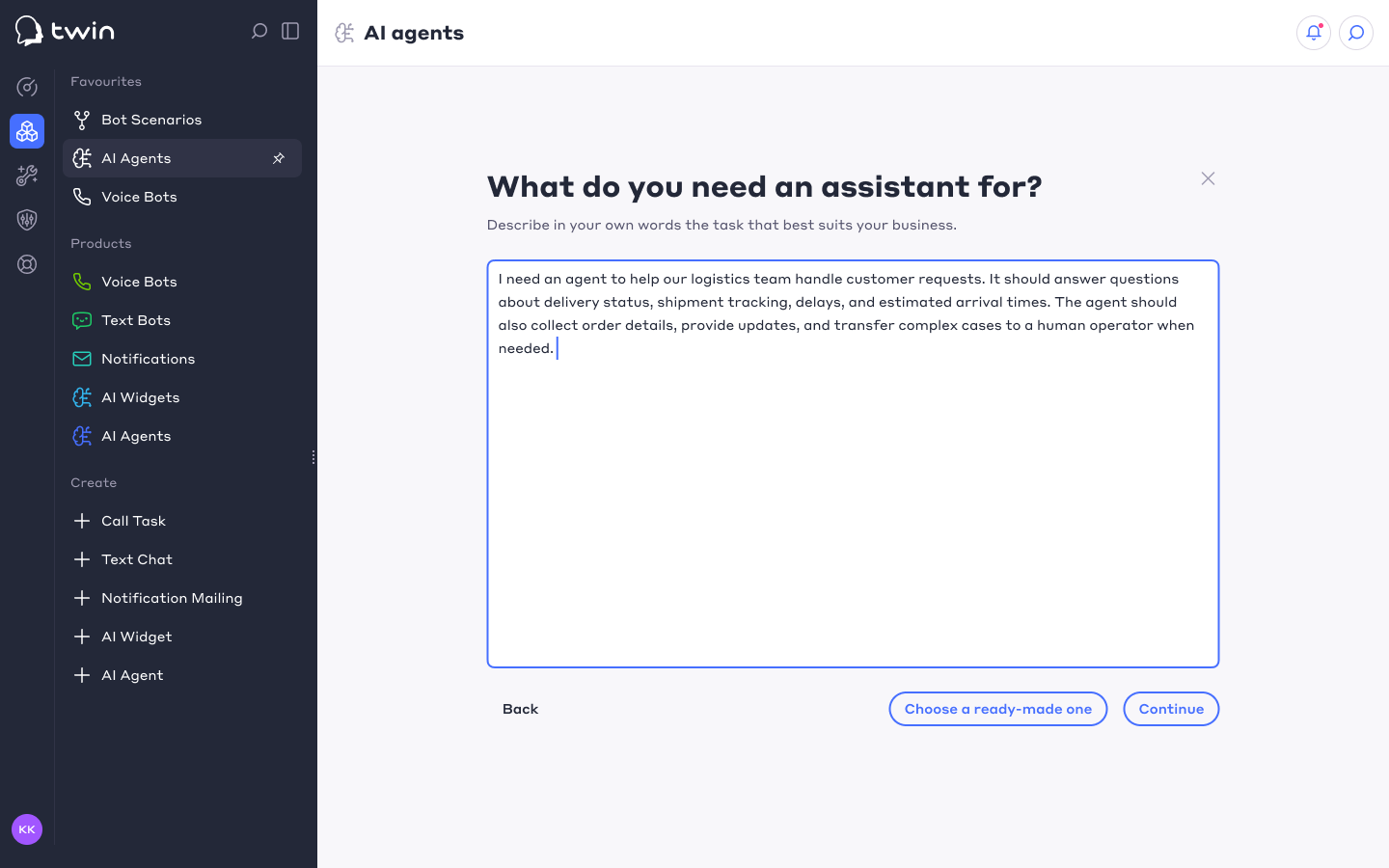
The user first selects what the agent should do, for example technical support, sales, lead qualification, appointment scheduling, order processing, logistics, or outbound communication. They can also describe their own business scenario and specific requirements in free-form text.
The next steps help the user choose the appropriate communication channel and agent configuration. Users can select a ready-made solution from the marketplace or continue with a custom setup.
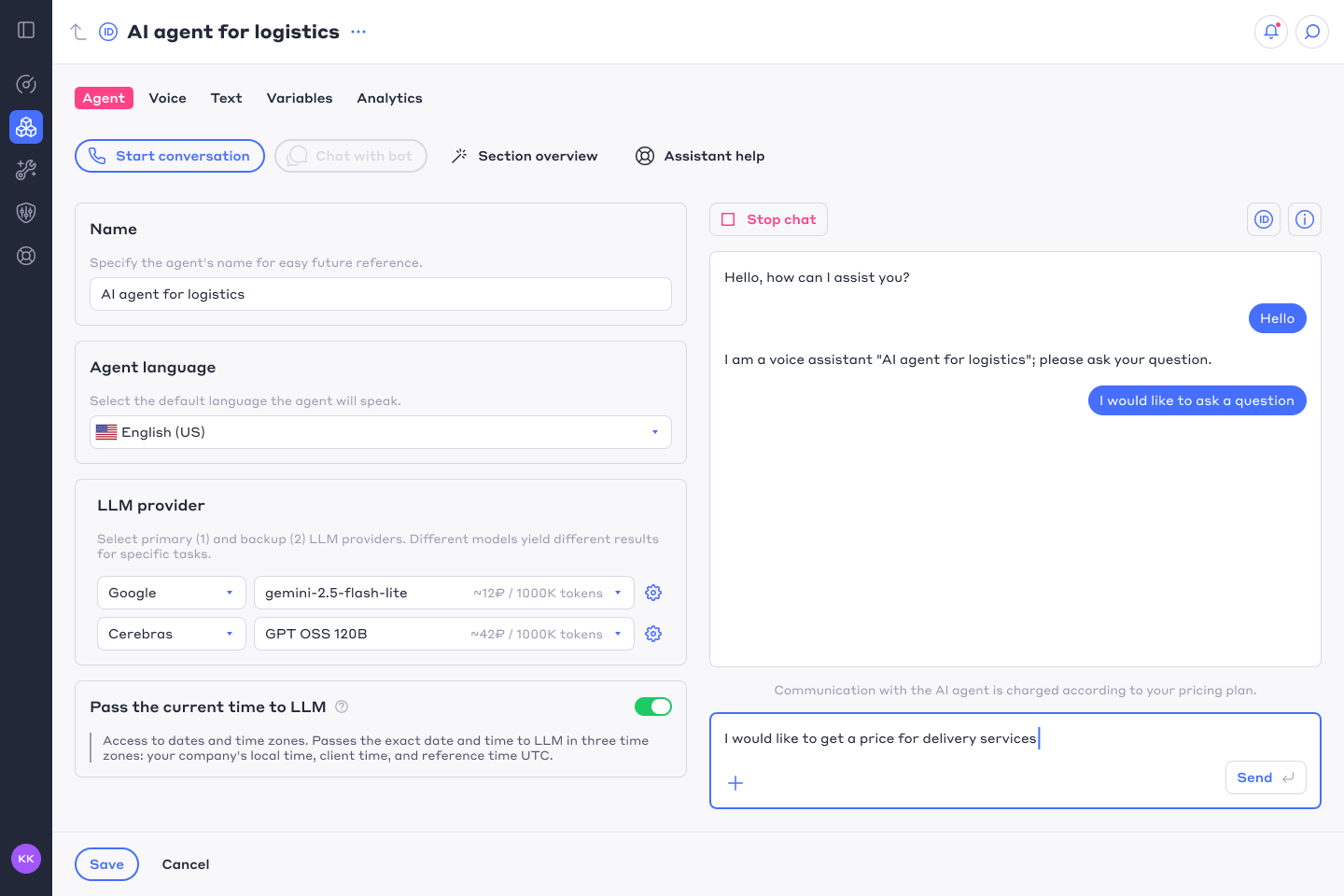
After the initial configuration, the agent can be tested immediately through a real voice conversation or directly in the built-in chat. More advanced settings remain available for users who need to select specific LLM, STT, or TTS providers and compare their costs.
📊 Result
Prototype testing showed a 94% successful task completion rate, with users reaching the target result in a median time of 76 seconds.
The average perceived difficulty score was 2.39 out of 5, while 56% of users rated the task between 1 and 2, and 78% rated it between 1 and 3. This indicated that the onboarding flow was generally easy to understand and allowed users to move from initial setup to testing the AI agent with relatively little friction.
The new flow reduced the distance between initial interest and the product’s core value: users could define their needs, configure an agent, and experience it through a real conversation without first understanding the underlying AI architecture.
